LoneStar Register: Start Playing in Minutes

LoneStar operates as an official social casino and sports contest platform built for quick, secure access across the United States. Registration takes under 2 minutes and opens slots, table games, and pick'em sports contests tied to the NFL, NBA, and MLB. Account verification confirms your identity and protects your balance before any Sweeps Coins redemption. Sign in works the same way on the website and the LoneStar mobile app, and support agents respond through live chat 24 hours a day. Sign up now and claim 100,000 Gold Coins plus 2.5 Sweeps Coins on your first login.

Download App

How to Complete LoneStar Registration Online

Account creation on the LoneStar website takes about 2 minutes. Follow these steps to finish registration and start playing.

01

Click Register

Select the Register button below to open the signup form on this page.
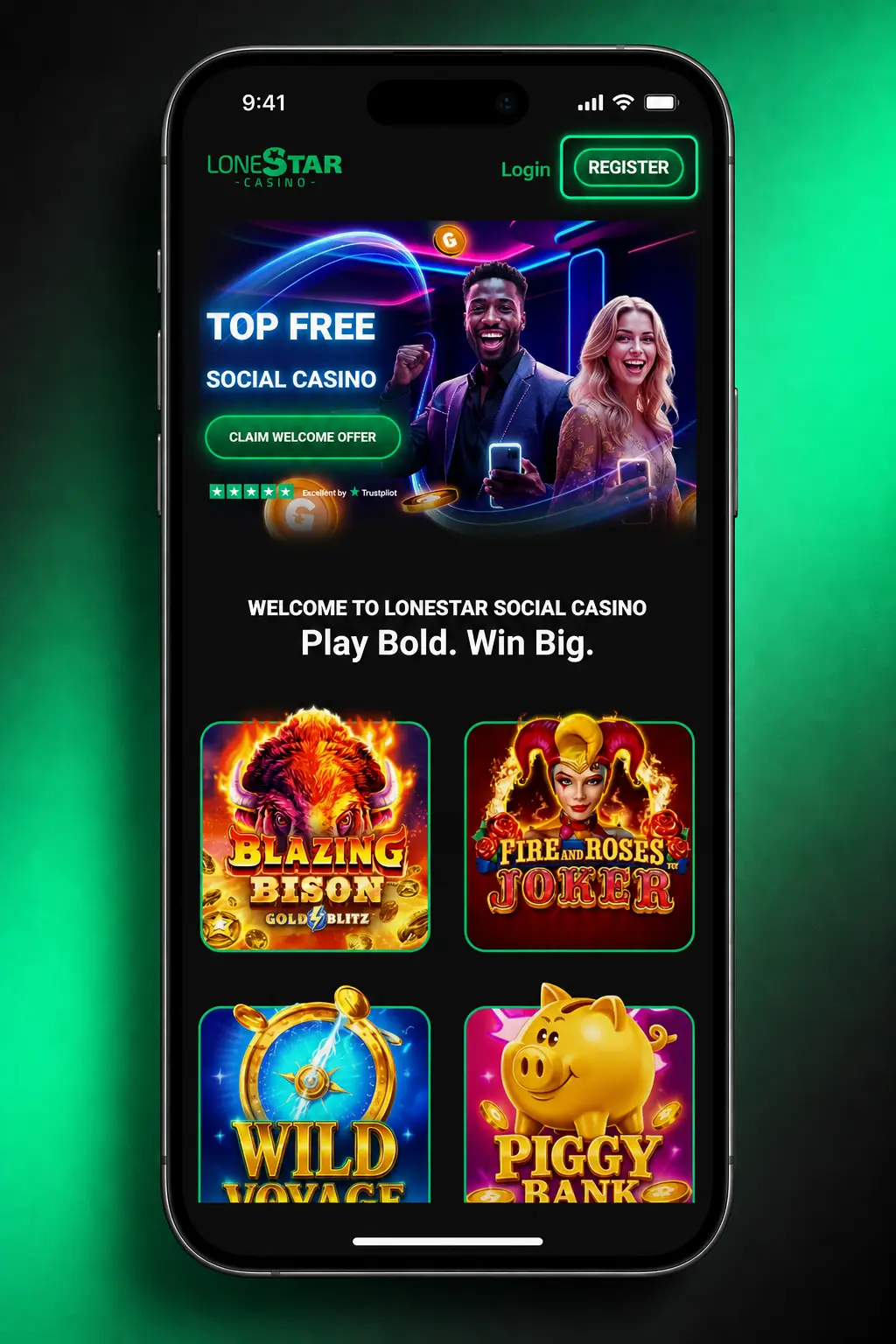
How to Complete LoneStar Registration Online
02

Create Your Login

Choose your email address and password, and add your mobile phone number.
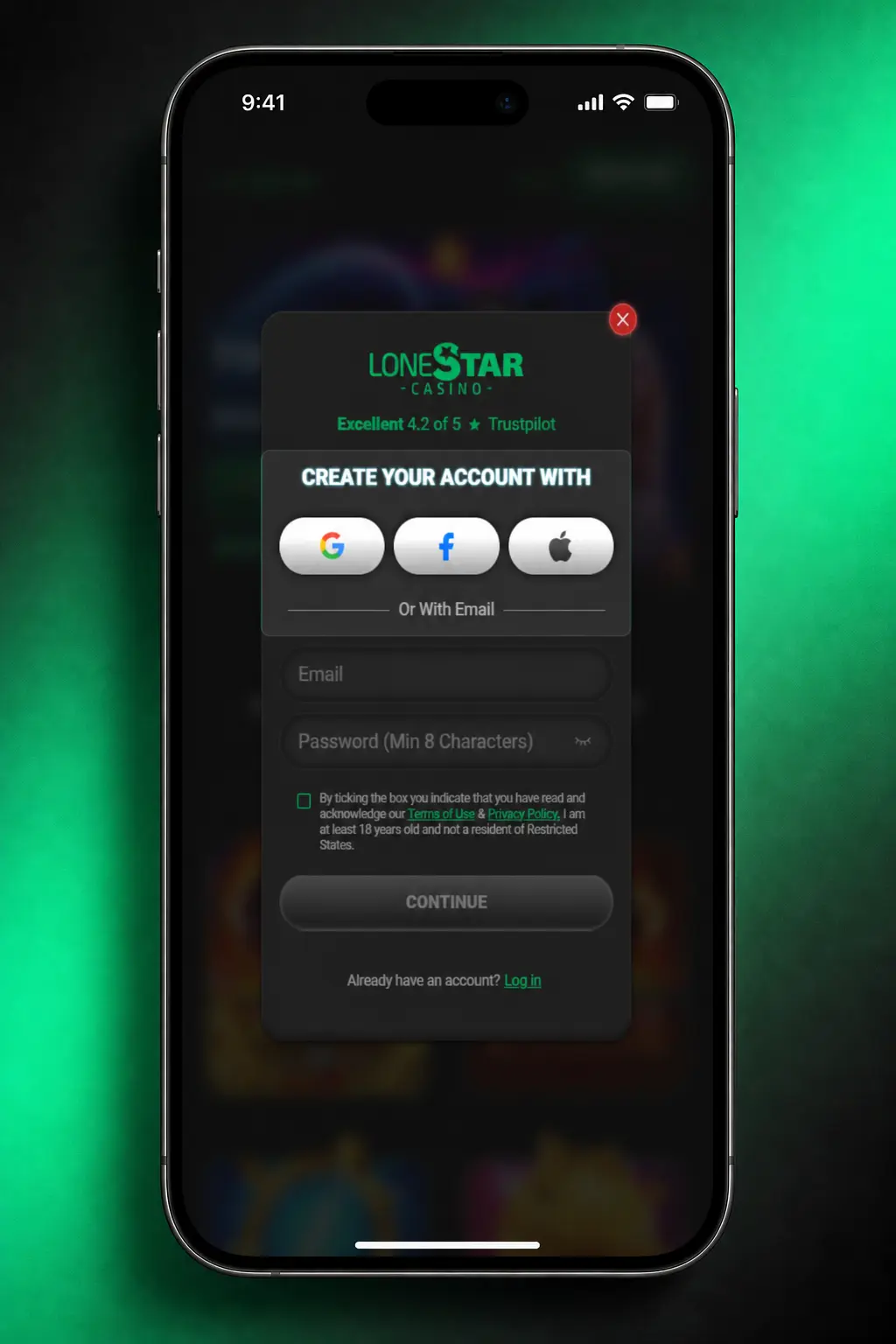
How to Complete LoneStar Registration Online
03

Add Personal Details

Provide your full name, date of birth, and home address for identity matching.
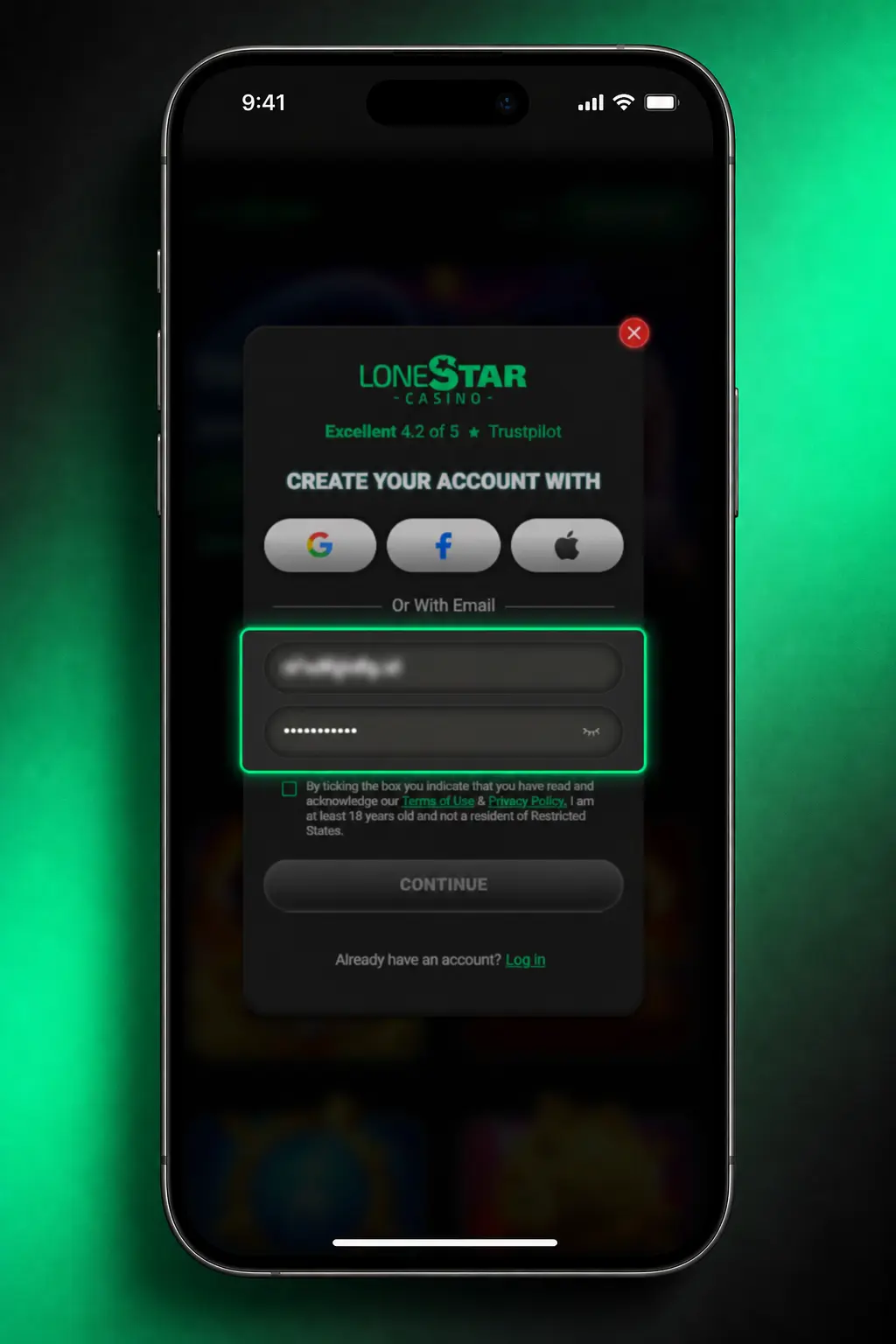
How to Complete LoneStar Registration Online
04

Accept Terms

Confirm you are 18 or older and a resident of an eligible state, then accept the Terms of Use.
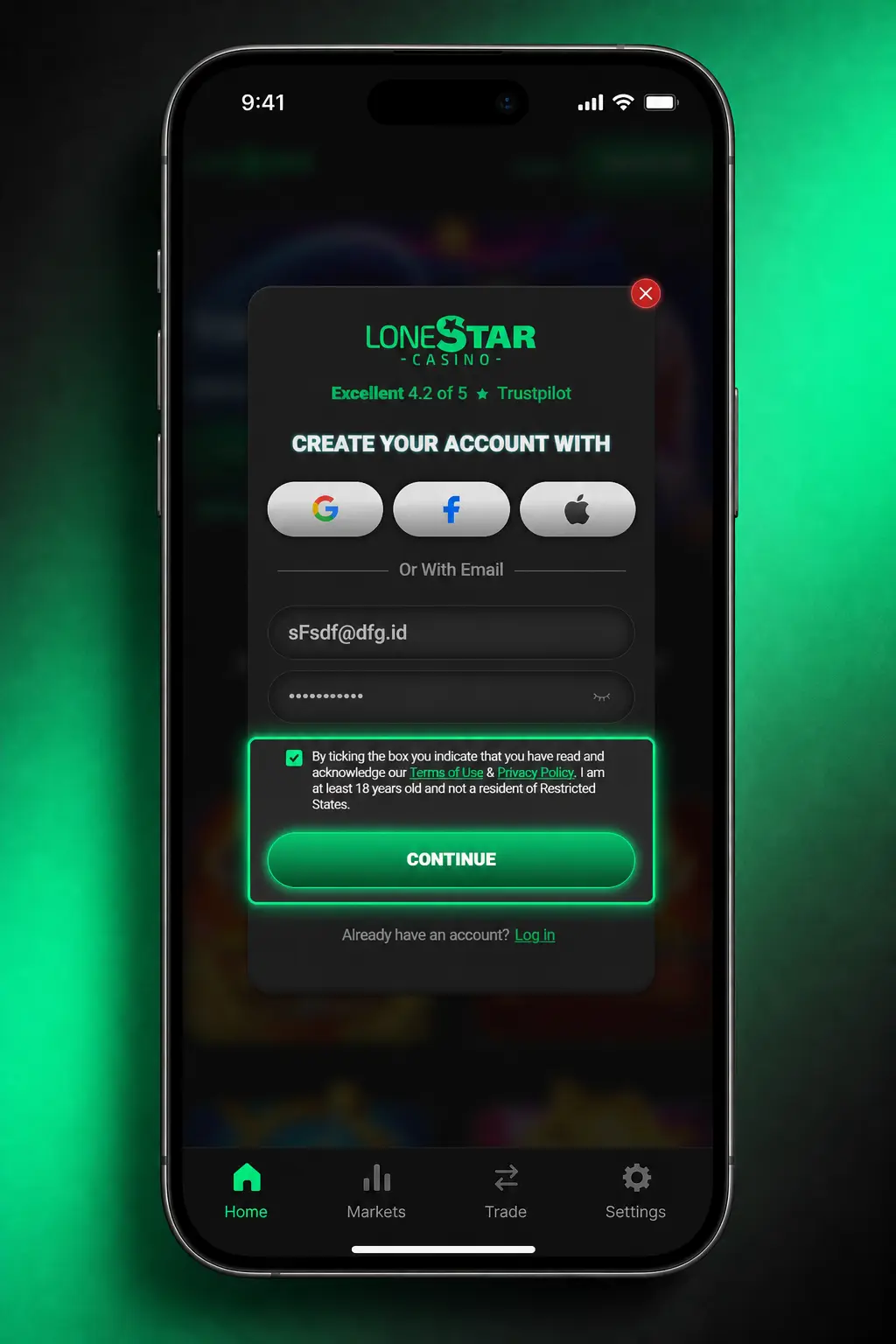
How to Complete LoneStar Registration Online
05

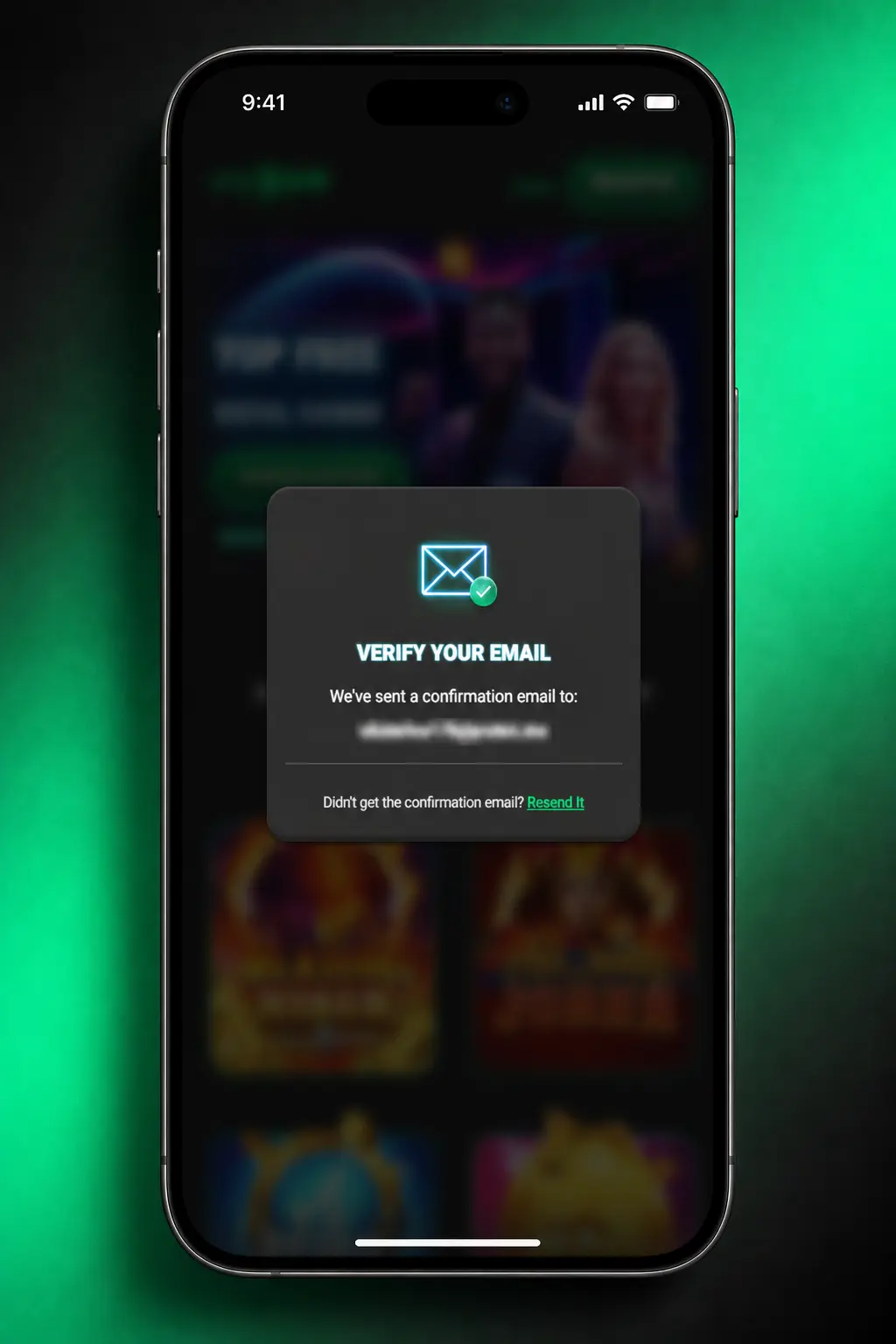
Verify Your Email

Click the confirmation link sent to your inbox to activate your account and claim your bonus.
How to Complete LoneStar Registration Online

LoneStar Sign Up via the Mobile App

Registration inside the LoneStar app follows the same flow as the website, with one extra step: location permission.

  1. Open the app: Tap Register, or tap Continue with Google or Apple for one click signup.
  2. Enter credentials: Enter your email, password, and phone number if you did not use social login.
  3. Provide personal details: Fill in your full name, birth date, and address.
  4. Location check: Allow location access so the app can confirm your state of residence.
  5. Claim coins: Confirm your email from the link sent to your inbox, and 100,000 Gold Coins plus 2.5 Sweeps Coins land in your account.

Who Can Register at LoneStar

LoneStar registration follows United States sweepstakes rules and a short set of eligibility checks. These rules protect your account and confirm compliance with gambling regulations in your state. Review the list below before you start the signup form.

  1. You must be 18 years old or older; Arizona and Louisiana residents must be 21 or older to register.
  2. You must reside in an eligible US state; LoneStar does not accept registrations from Washington State or Idaho.
  3. One account applies per person, address, and device; duplicate accounts get suspended during verification.
  4. You must provide a valid government issued ID to confirm identity before any Sweeps Coins redemption.
  5. Your registered name, address, and date of birth must match the documents submitted for verification.
Who Can Register at LoneStar

LoneStar Account Verification Explained

Account verification confirms your identity and secures your balance before any cash prize redemption. The process protects United States players from fraud and keeps LoneStar compliant with state sweepstakes law. Each verification stage uses standard documents most users already have on hand.
  1. Identity Check: Upload a government issued photo ID, such as a driver's license or passport.
  2. Address Confirmation: Submit a utility bill or bank statement dated within the last 90 days.
  3. Phone Verification: Enter the 6 digit code sent to your mobile number by SMS.
  4. Document Review: Our compliance team reviews submitted documents within 24 to 48 hours.
  5. Confirmation: You receive an email once verification completes and redemption becomes available.
LoneStar Account Verification Explained

LoneStar Account Login: Access Your Account

Login to your LoneStar account takes seconds once registration completes. Use the same credentials you created at signup, or your linked social account.

  • Click Login: Select the Login button on the website or inside the app.
  • Enter Credentials: Type your email and password, or tap Continue with Google or Apple.
  • Confirm Two Factor Code: Enter the code sent by SMS if two factor authentication is active on your account.
  • Access Your Dashboard: View your Gold Coins and Sweeps Coins balance and pick a game or contest.
LoneStar Account Login: Access Your Account

Your LoneStar Welcome Bonus After Sign Up

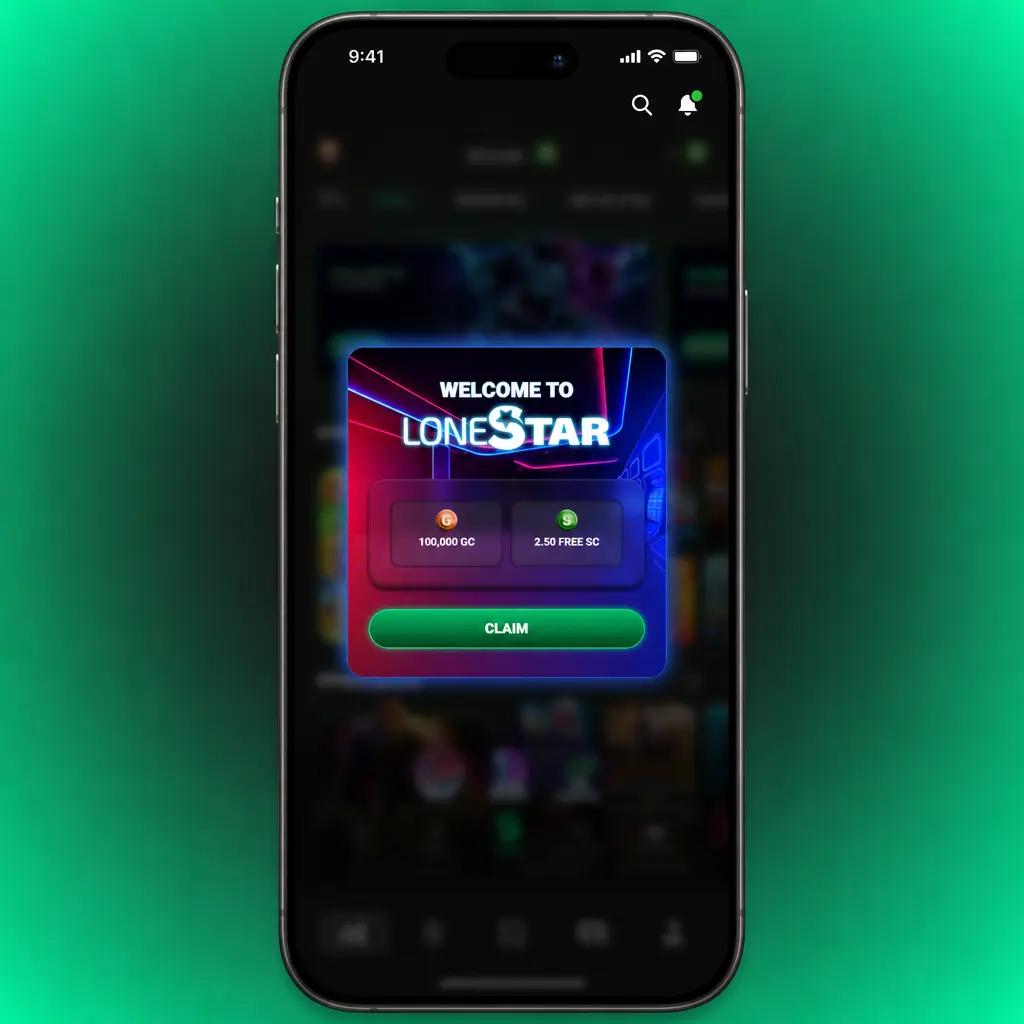
New players receive 100,000 Gold Coins plus 2.5 Sweeps Coins once registration completes, no purchase necessary. Gold Coins carry no cash value and work across every slot and table game on the platform. Sweeps Coins carry redemption value once your account passes verification, and the same 2.5 SC bonus applies to casino play and sports pick'em contests.

CurrencyAmountUse
Gold Coins100,000 GCCasino slots and table games, no cash value.
Sweeps Coins2.5 SCCasino play and sports pick'em contests, redeemable for cash prizes after verification.
Your LoneStar Welcome Bonus After Sign Up

Claim Your Welcome Bonus in 4 Steps

Welcome bonus credit posts automatically once signup finishes. No bonus code or extra deposit applies to the offer.

01

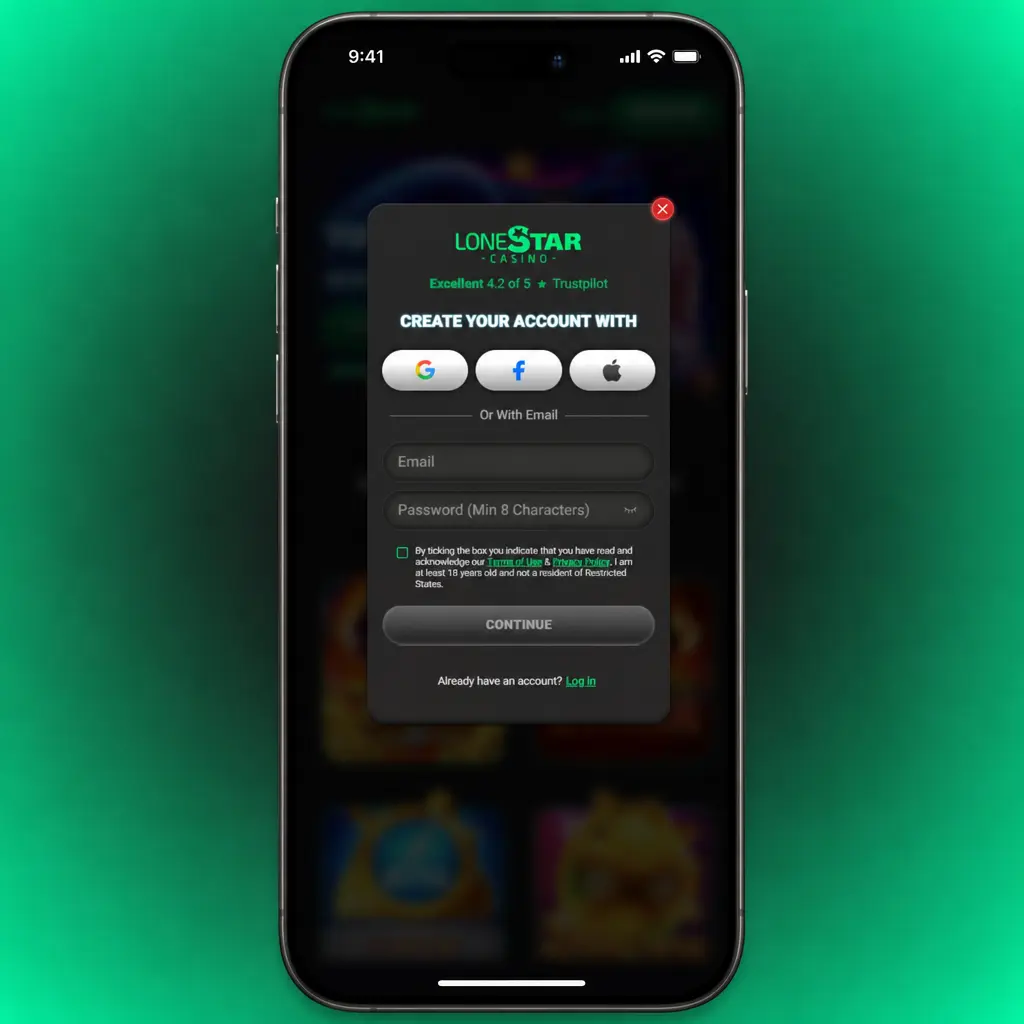
Click Register

Select the Register button below and complete the signup form.
Claim Your Welcome Bonus in 4 Steps
02

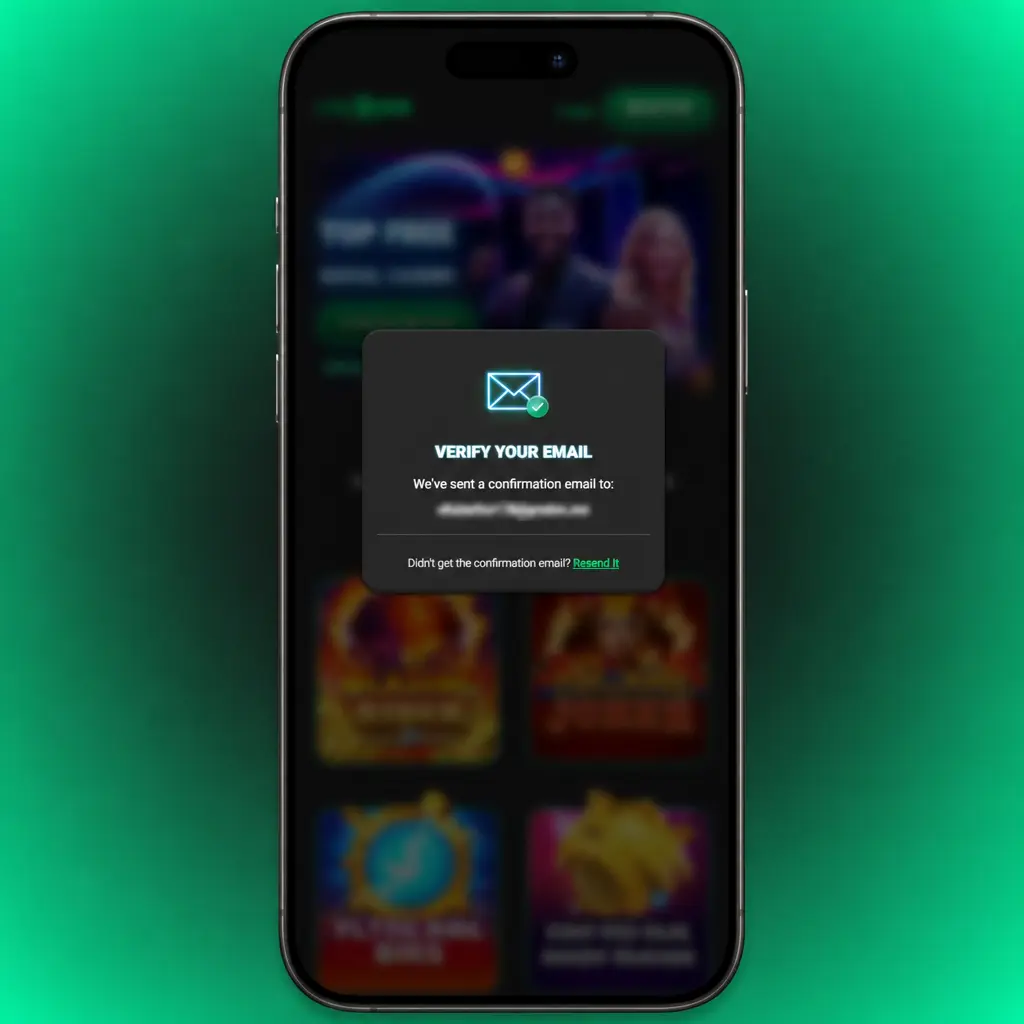
Confirm Your Email

Open the confirmation link sent to your inbox within 15 minutes of signup.
Claim Your Welcome Bonus in 4 Steps
03

Verify Your Account

Provide your ID so Sweeps Coins redemption becomes available at any point after signup.
Claim Your Welcome Bonus in 4 Steps
04

Check Your Balance

Open your dashboard to find 100,000 Gold Coins and 2.5 Sweeps Coins already credited.

Common LoneStar Registration Problems and Solutions

Registration runs without delay for most players, though a handful of issues come up from time to time. Contact LoneStar support through live chat if any of the following apply to your signup.
  • Confirmation email missing: check your spam folder, then request a new link from the login screen;
  • Duplicate account flagged: contact support with your ID to merge or close the extra profile;
  • Age verification failed: submit a clearer photo of your government issued ID through account settings;
  • Address mismatch: update your address in account settings and resubmit your verification documents;
  • Signup form will not submit: clear your browser cache or switch to the mobile app and try again.
Common LoneStar Registration Problems and Solutions

Reset Your LoneStar Account Password

Password recovery takes under 5 minutes through the login screen. Use the email linked to your account, or the social login you registered with, to regain access.
  1. Select Forgot Password on the login screen.
  2. Enter the email address linked to your account.
  3. Open the reset link sent to your inbox within 10 minutes.
  4. Create a new password with at least 8 characters, one number, and one symbol.
  5. Log in with your new password; your Gold Coins and Sweeps Coins balance stays untouched.
Reset Your LoneStar Account Password

Close Your LoneStar Account

Account closure stays available for any player who sets responsible gambling limits or stops play. Any unredeemed Sweeps Coins balance stays on file for the period stated in the Terms of Use.
  1. Log in and open Account Settings.
  2. Select Close Account under Privacy and Security.
  3. Confirm your reason for closure from the dropdown menu.
  4. Contact support to finalize closure, completed within 5 business days.
Close Your LoneStar Account

FAQ

Is LoneStar free to play?

Yes. Gold Coins carry no cost, and the 100,000 GC plus 2.5 SC welcome bonus requires no purchase or deposit.

How long does account verification take?

Most submissions clear within 24 to 48 hours, confirmed by email once complete.

Can one person hold two accounts?

No. One account applies per person, address, and device; duplicate profiles get suspended during verification.

Which states cannot register?

Registrations are not accepted from Washington State or Idaho, based on state sweepstakes law.

What happens to my balance after account closure?

Your Gold Coins and Sweeps Coins balance stays on record for the period set in the Terms of Use, and support can answer questions about reactivation.